01 · PERSONAL
Your Weather Essentials
Choose one to three measurements that matter most. Thor keeps them visible across forecasts, summaries, and widgets without hiding everything else.
Choose the conditions that matter most, see how the forecast is changing, and understand today in context. Thor turns a complete forecast into your forecast.
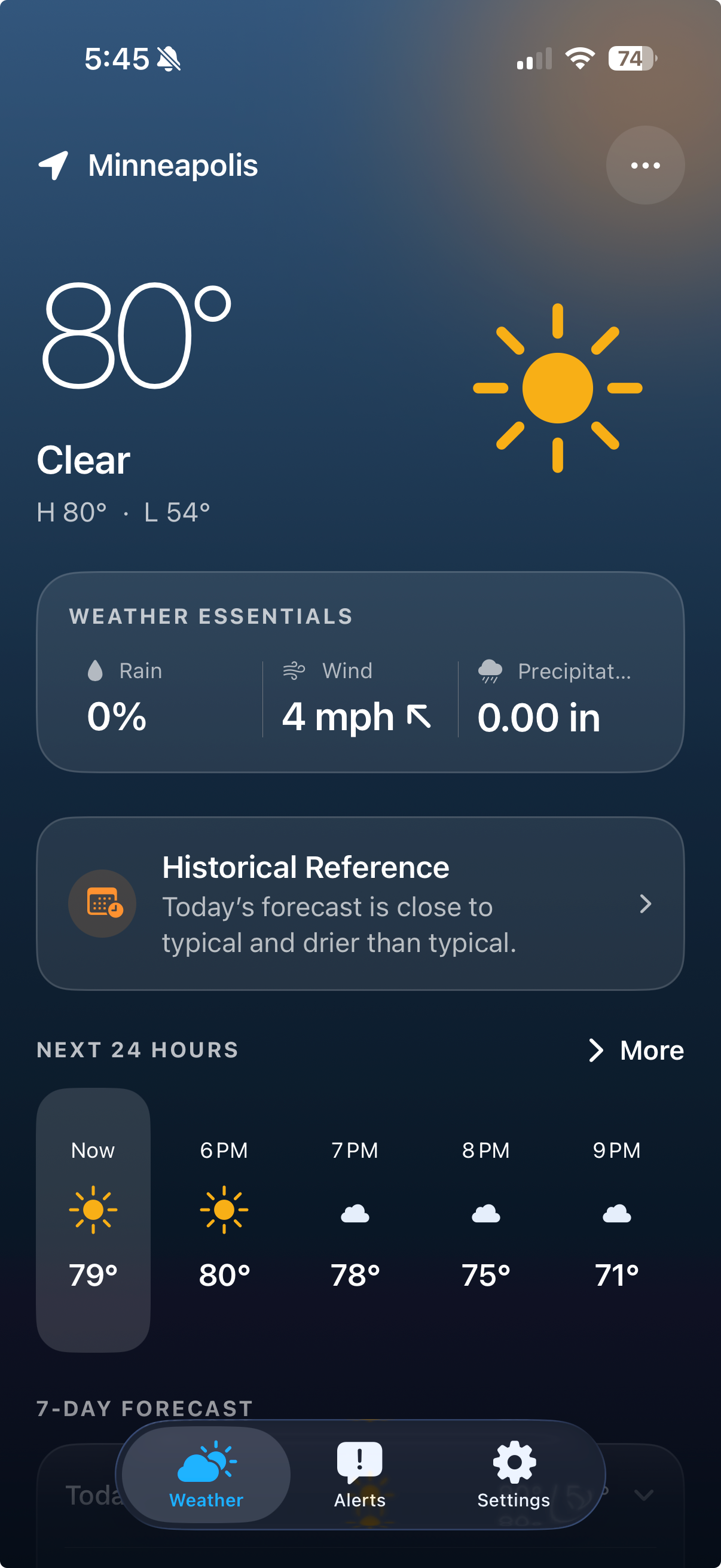
Thor starts with what matters now, then gives every forecast detail a thoughtful place when you want to go deeper.
Choose one to three measurements that matter most. Thor keeps them visible across forecasts, summaries, and widgets without hiding everything else.
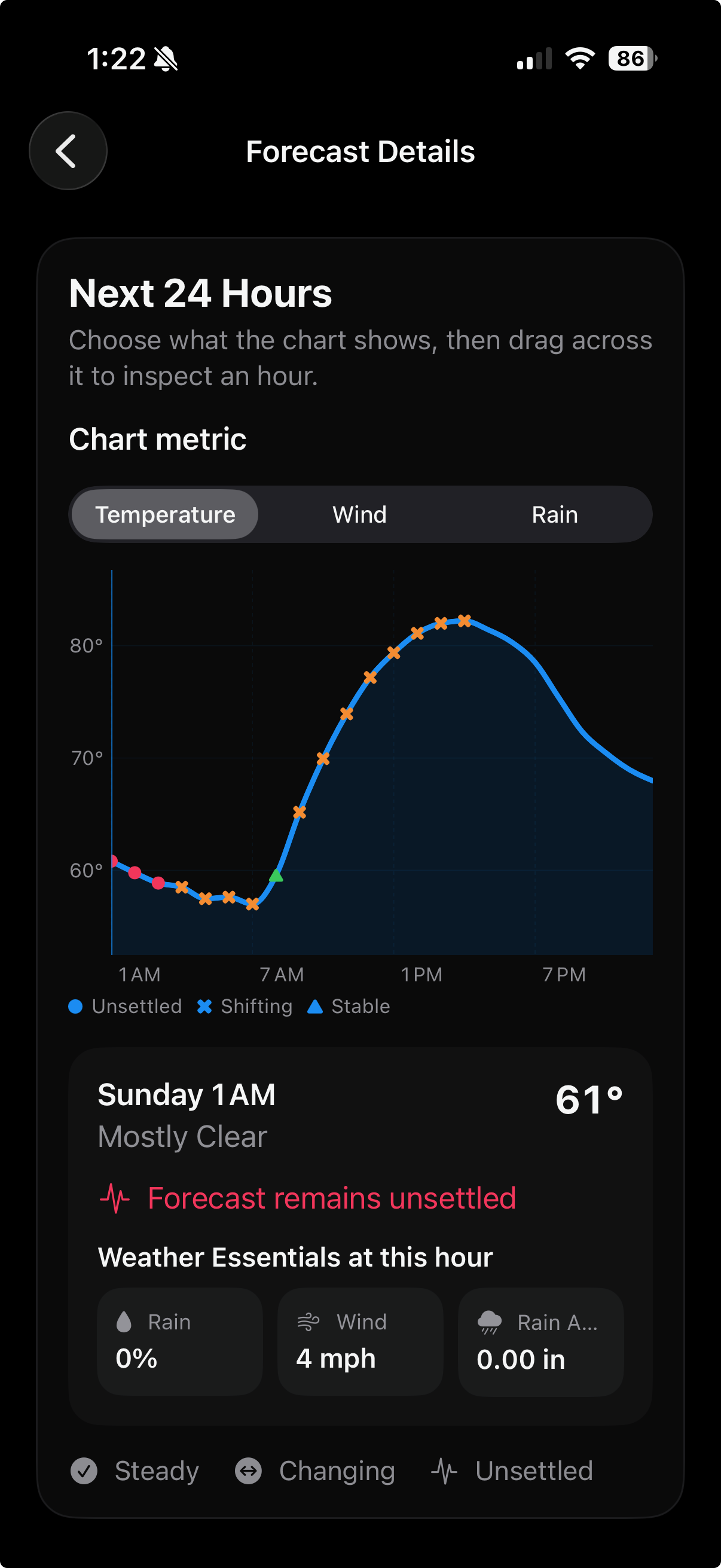
See whether an upcoming forecast has stayed steady, is still changing, or remains unsettled. No invented confidence percentage.
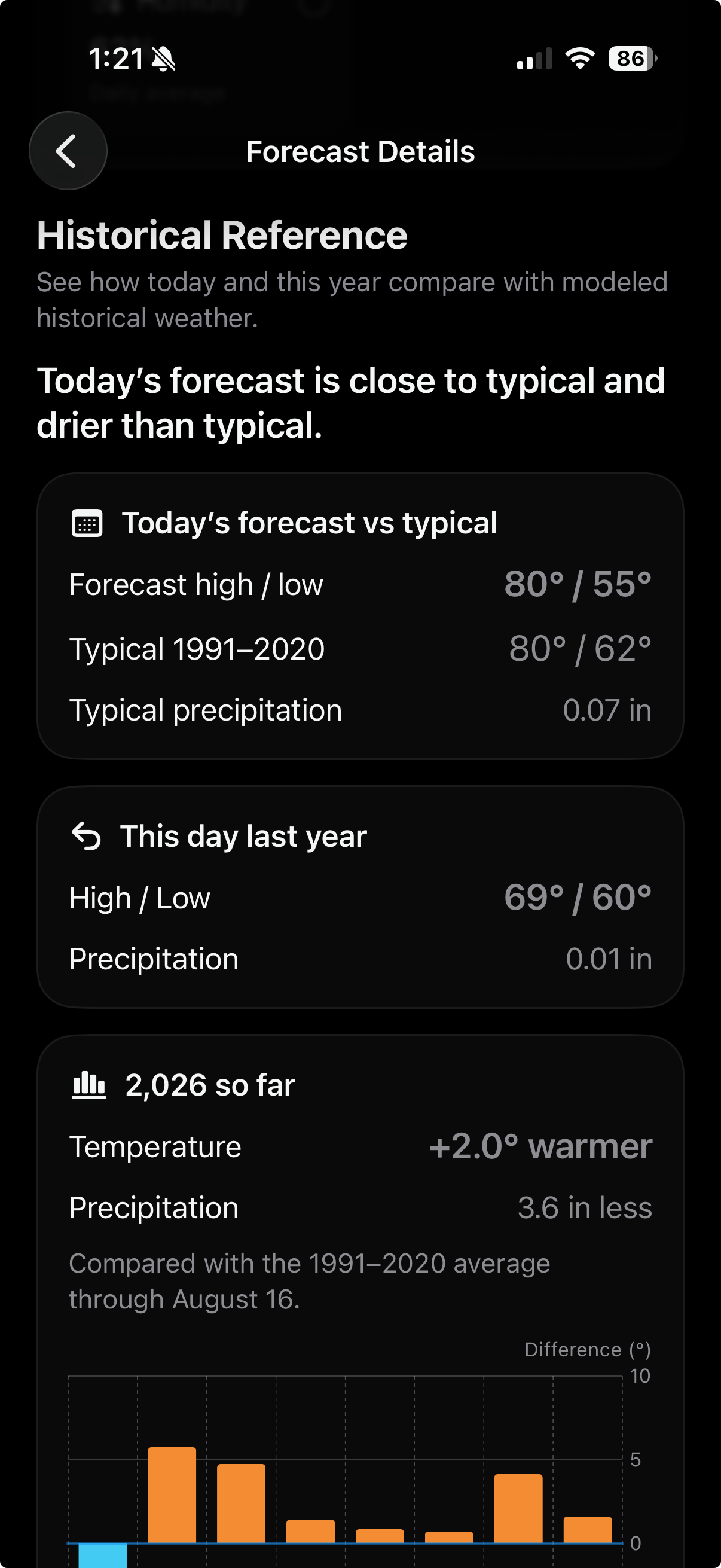
Understand how today compares with typical weather, the same day last year, and the year so far using modeled historical context.
Switch between temperature, wind, and rain, then drag across the chart to inspect the forecast and your Essentials at a specific hour.
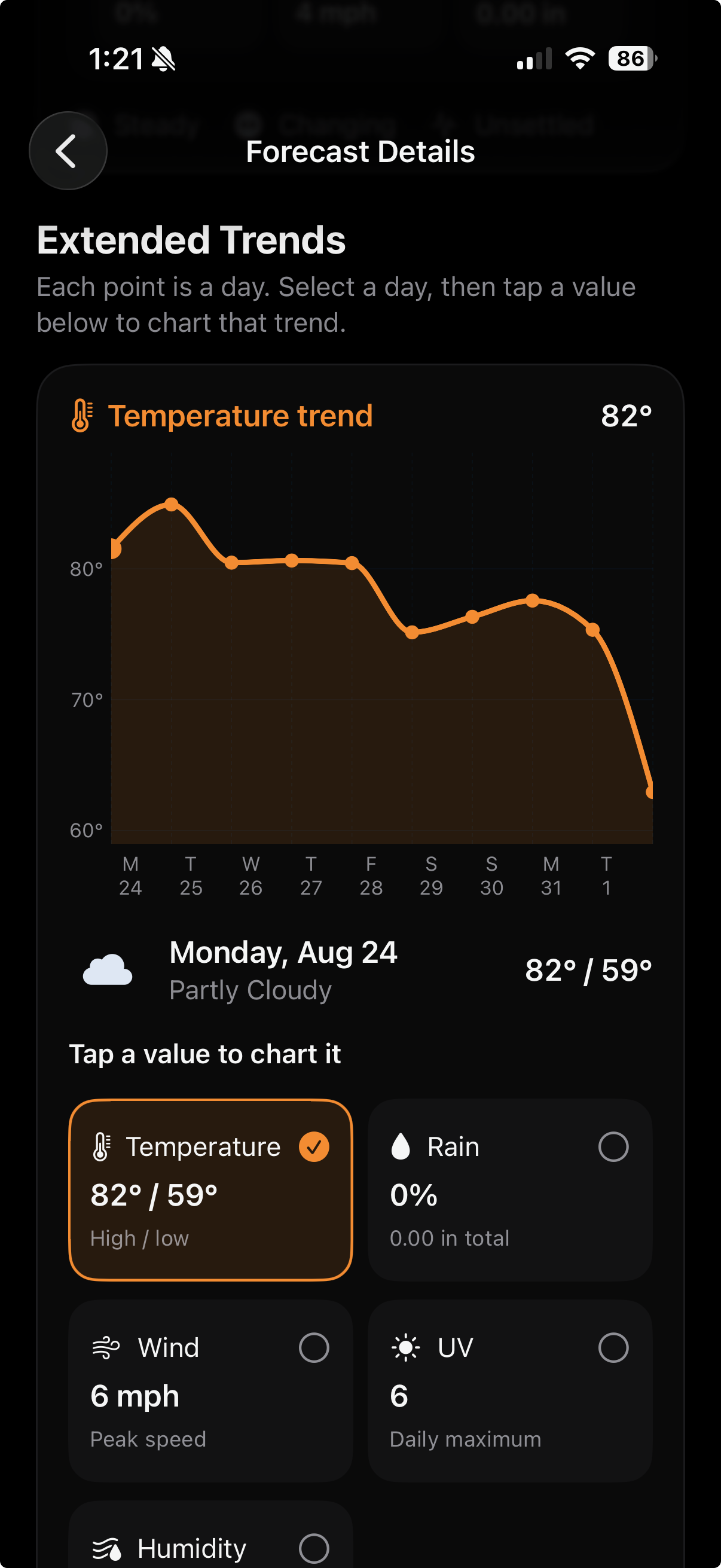
Later forecast hours become one clear point per local day. Select a day, then change the chart to the measurement you need.
See today beside a 1991–2020 modeled baseline, revisit the same date last year, and understand how the current year is developing.
Use Current Location or search manually. Browse another saved location without silently changing the primary location that drives alerts, summaries, and widgets.
Create threshold and six-hour forecast-trend notifications for the measurements you care about. Thor custom alerts remain clearly separate from official alerts.
Choose what each Home Screen or Lock Screen widget shows. Last-known values stay useful even when the system delays a refresh.
Use regional defaults or choose your preferred temperature, wind, precipitation, pressure, and visibility units in System, Light, or Dark appearance.